Simplifying analytics for businesses

Simplifying analytics for businesses

tl dr;

Redesigned Setmore’s reporting experience around five core metrics, making business performance easy to understand at a glance instead of buried in fragmented data.

Role

Sole Product designer
Setmore is an appointment booking platform used by independent practices, clinics and, salons and to manage bookings, payments, and customers.
Problem

Problem

Setmore had a reporting dashboard, but it wasn’t answering the questions business owners actually had.

  • Fixed time ranges limited exploration

  • Too many disconnected metrics created noise instead of insight

  • No clear way to understand trends or performance at a glance

As a result, many businesses exported data or relied on external tools to answer basic questions:

  • How is revenue trending?

  • Are we gaining new customers?

  • When is the business busiest?

The issue wasn’t lack of data, it was lack of clarity around what actually matters.

Setmore had a reporting dashboard, but it wasn’t answering the questions business owners actually had.

  • Fixed time ranges limited exploration

  • Too many disconnected metrics created noise instead of insight

  • No clear way to understand trends or performance at a glance

As a result, many businesses exported data or relied on external tools to answer basic questions:

  • How is revenue trending?

  • Are we gaining new customers?

  • When is the business busiest?

The issue wasn’t lack of data, it was lack of clarity around what actually matters.

Goal

Goal

Design a focused reporting experience that helps business owners quickly understand performance and trends without needing external tools.

The journey

The journey

Starting with subtraction

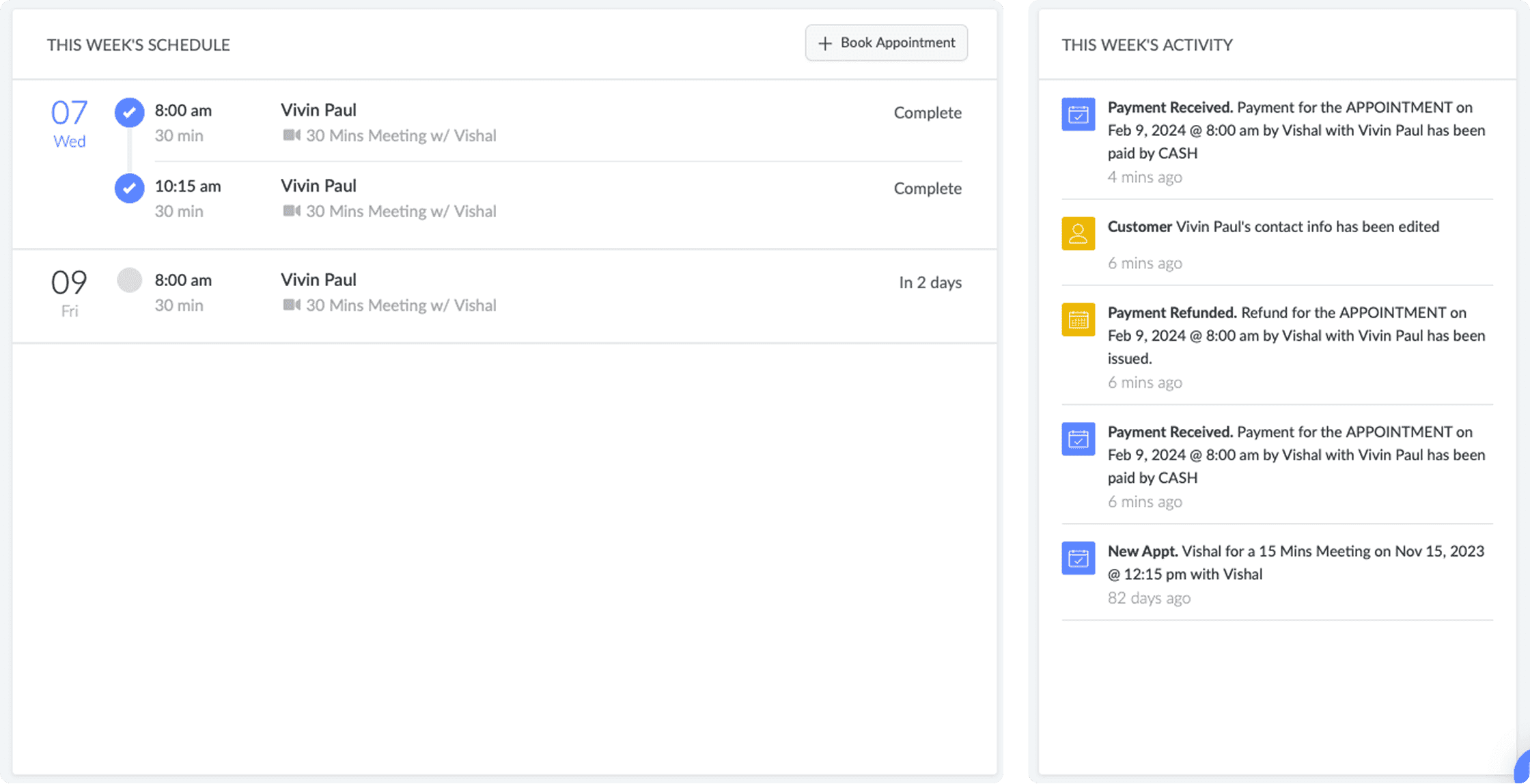
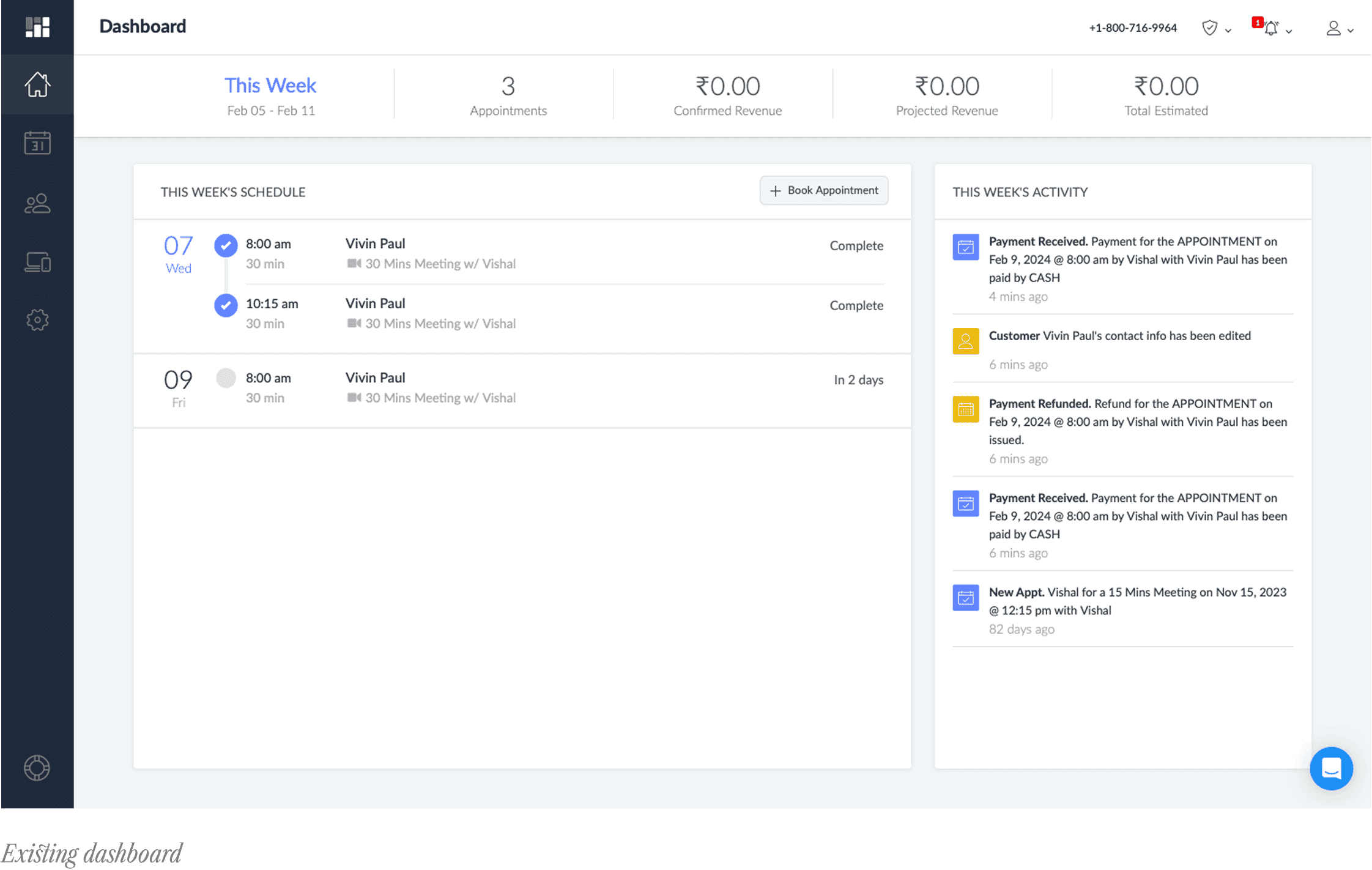
The previous dashboard combined reports, scheduling, and activity into a single page. I removed elements that didn’t support decision-making:

  • Daily schedule duplicated the calendar view

  • Activity feed repeated information already available elsewhere

This reduced visual noise and allowed the interface to focus on core metrics. Two core issues remained:

  • Metrics lacked visual context (raw numbers without trends)

  • No flexibility in time range exploration

The previous version combined a reports dashboard and a daily activity feed into one page. As part of the revamp, I cut what wasn't earning its place. The previous dashboard combined reports, scheduling, and activity into a single page. I removed elements that didn’t support decision-making:

  • Daily schedule duplicated the calendar view

  • Activity feed repeated information already available elsewhere

This reduced visual noise and allowed the interface to focus on core metrics. Two core issues remained:

  • Metrics lacked visual context (raw numbers without trends)

  • No flexibility in time range exploration

Design decisions

Focusing on five core metrics

Instead of expanding the dashboard, I reduced it to five essential metrics:

Revenue

Appointments

Customers

Occupancy

Booking Page

These represent the core signals shared across most businesses:

  • Money coming in

  • Demand and utilisation

  • Customer growth

  • Channel performance

Additional metrics were intentionally excluded to avoid reintroducing complexity.

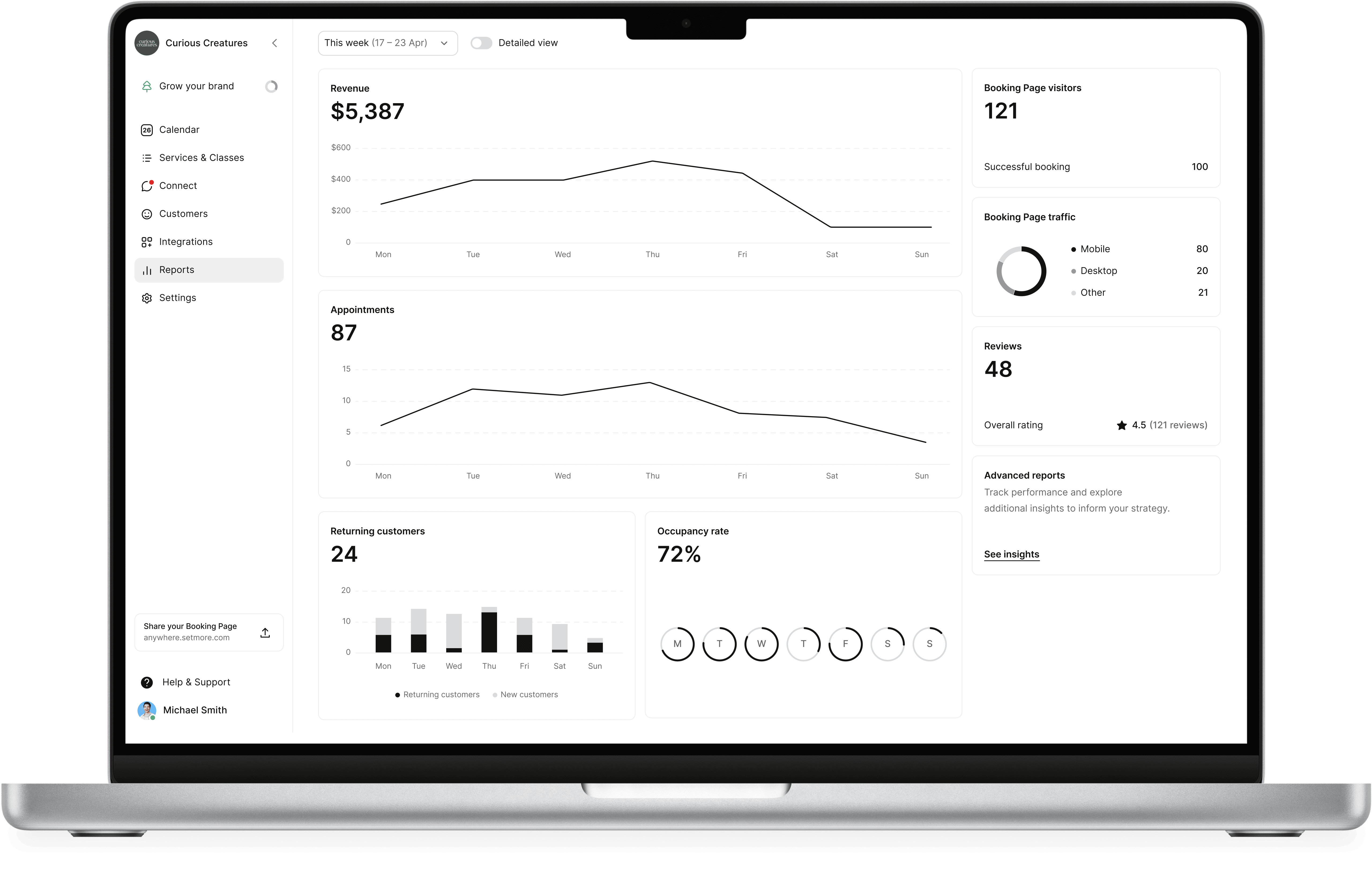
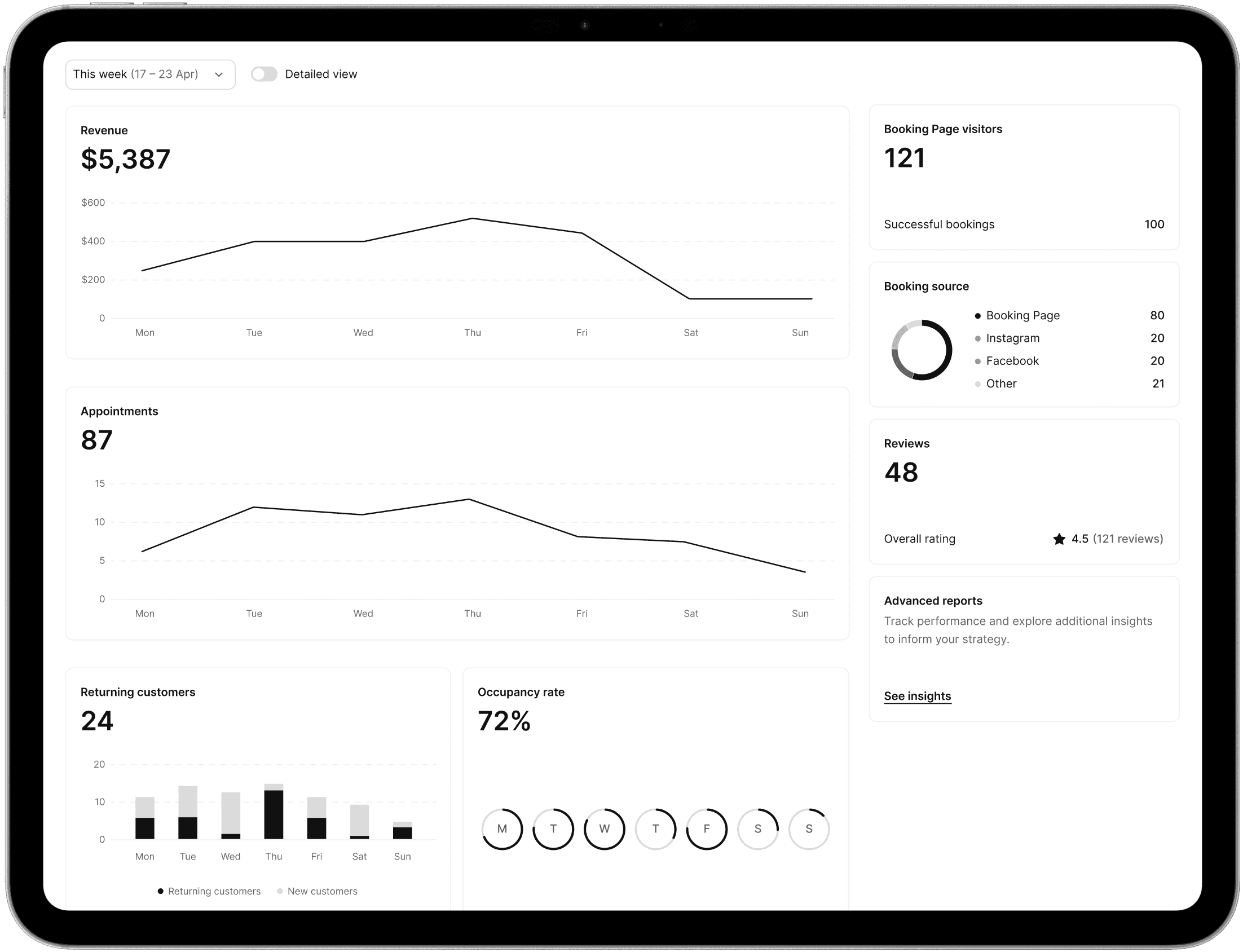
Overview dashboard

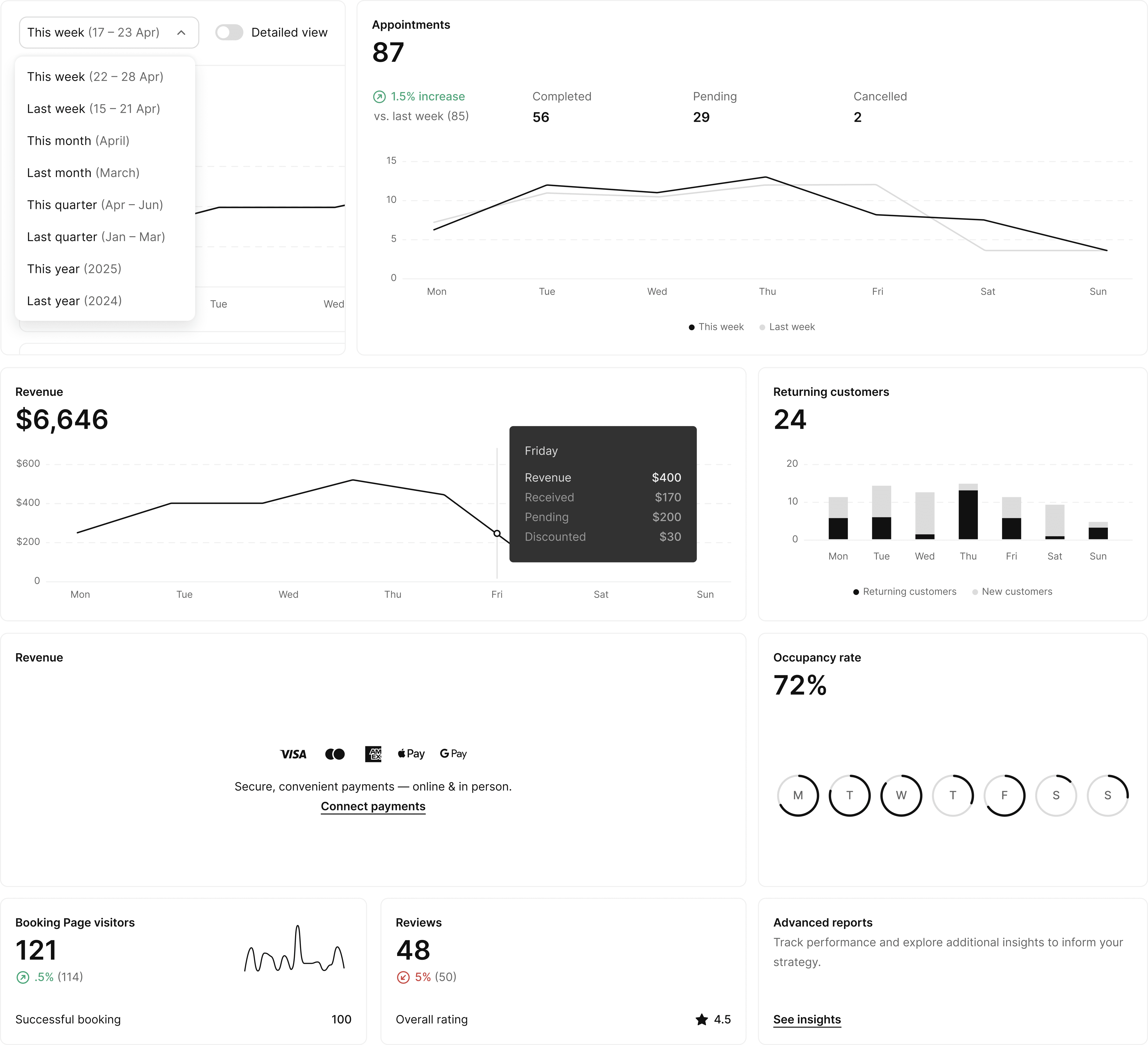
A simplified view focused on the most important signals. Each metric surfaces only its primary value, designed for quick scanning without additional context or breakdowns.

This allows business owners to:

  • Quickly check performance

  • Identify if something needs attention

  • Get a snapshot without interpreting multiple data points

The emphasis is on clarity and speed, removing secondary information to reduce cognitive load.
Detailed view

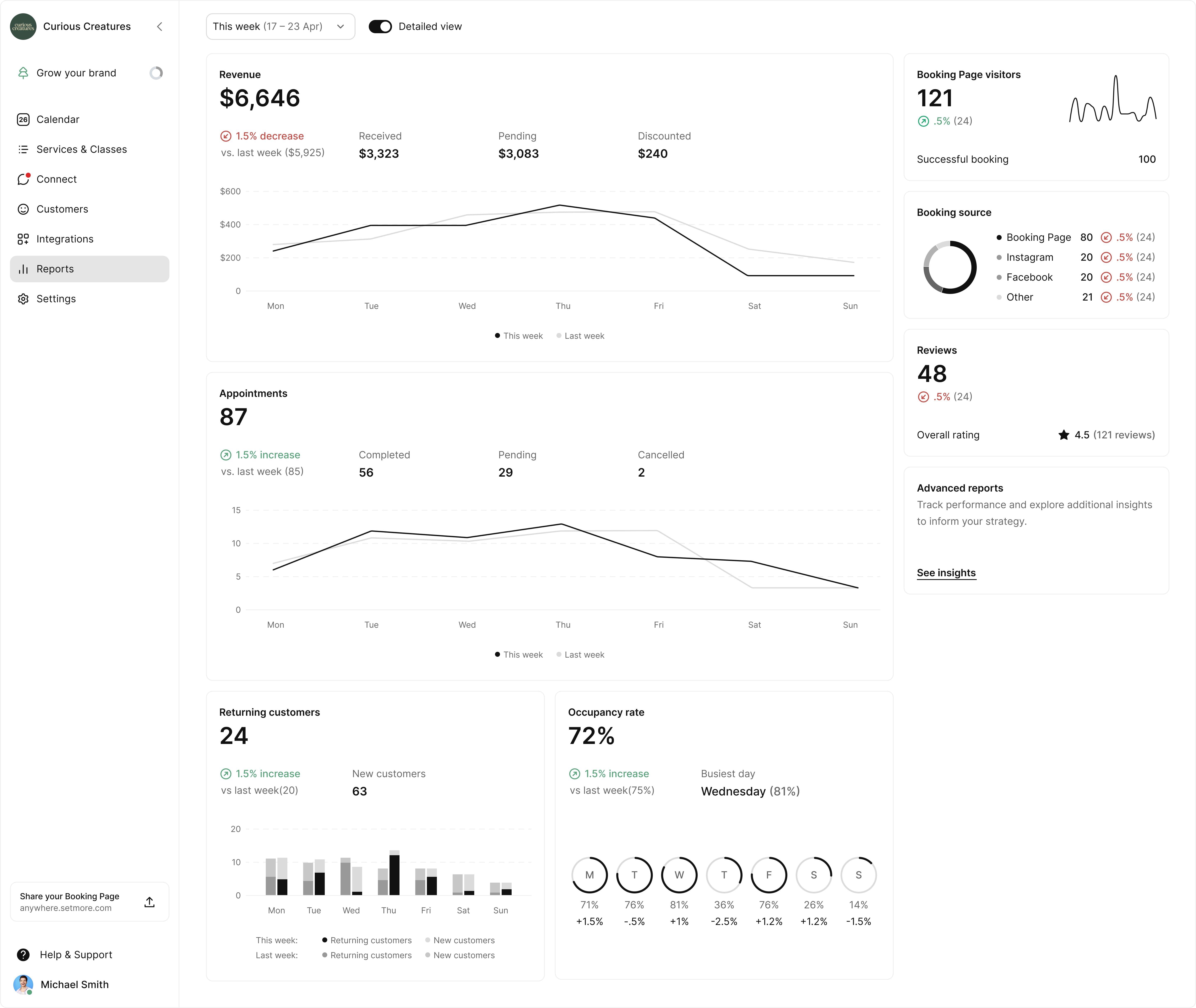
The detailed view expands each metric with the context needed for analysis. This includes:

  • Comparison against previous periods

  • Percentage increase or decrease

  • Breakdown of contributing values (e.g. completed, pending, discounted)

Users can switch into this mode when they need to understand why a metric changed, not just what changed.

Both views share the same structure and date controls, allowing users to move between quick checks and deeper analysis without losing context.

Detailed view
Outcome

Outcome

Replaced a cluttered, mixed-purpose dashboard with a focused reporting experience centred on the key questions business owners actually ask.

Improved clarity by:

  • Reducing noise and removing redundant sections

  • Highlighting trends instead of static numbers

  • Structuring data for both quick scanning and deeper analysis
that's a wrap

that's a wrap

there's certainly more to the story, chat here :)