tl dr;
Redesigned a fragmented integration experience into a flexible workflow system that supports both complex, multi-step setups and simple, one-step connections.
Scale: 3000+ businesses · 40+ apps · 100+ CAM team member
Role
Sole Product designer
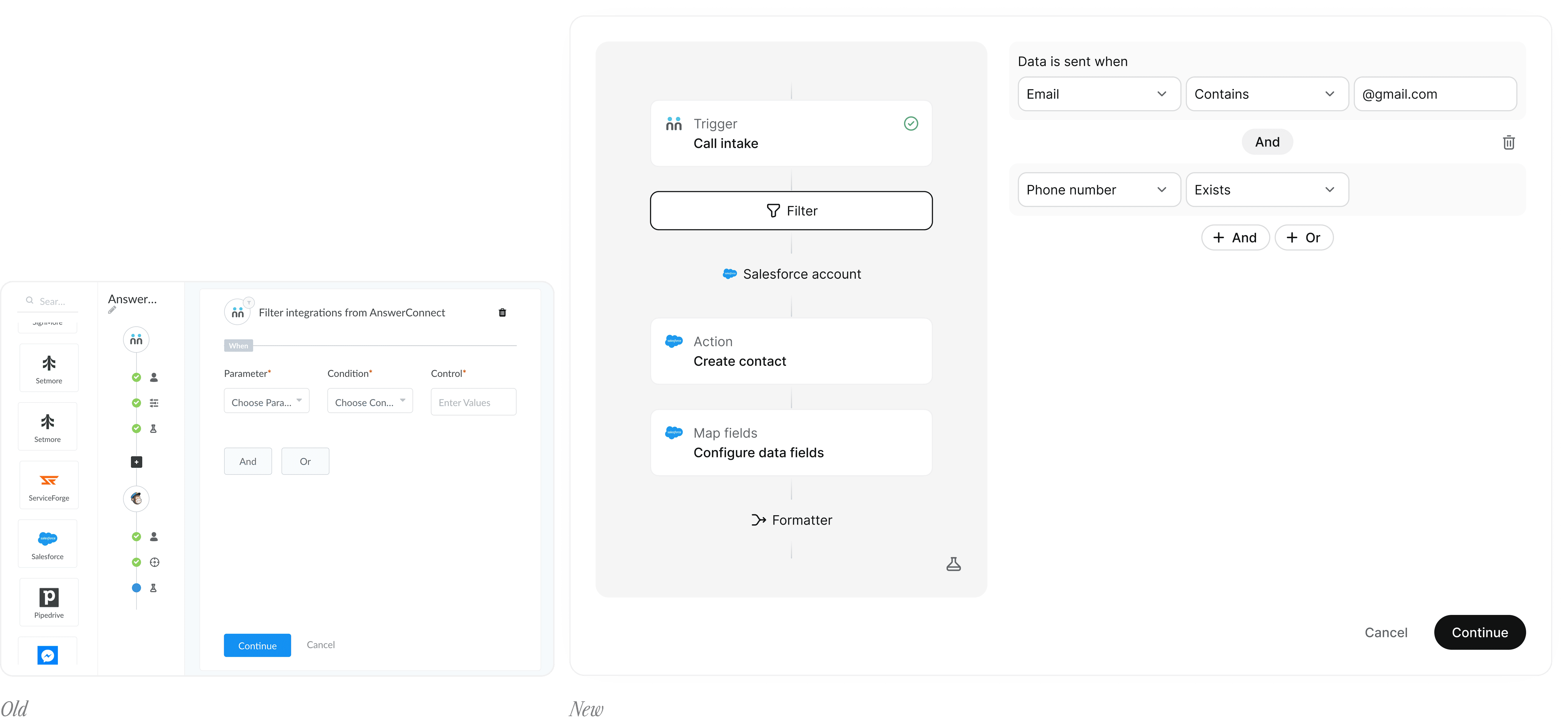
AnswerConnect is a 24/7 answering service. Setmore is a scheduling app.
They both relied on the same integration system, but served very different needs.
AnswerConnect handled complex, multi-step call intake information workflows
Setmore only required simple contact syncing
Despite this, both were forced into the same rigid structure.
The integration experience appeared unified, but was fundamentally broken underneath.
AnswerConnect: Customers interacted with a limited iframe-based tool, while the CAM team operated a separate internal system with full control. This created a hidden dependency, customers couldn’t complete more advanced setups.
At the same time, Setmore inherited this system despite only needing a fraction of its capabilities, introducing unnecessary complexity.
This led to
Unnecessary complexity in Setmore
Limited flexibility in AnswerConnect
A system that did not align with either product’s needs
Increased engineering overhead maintaining multiple systems
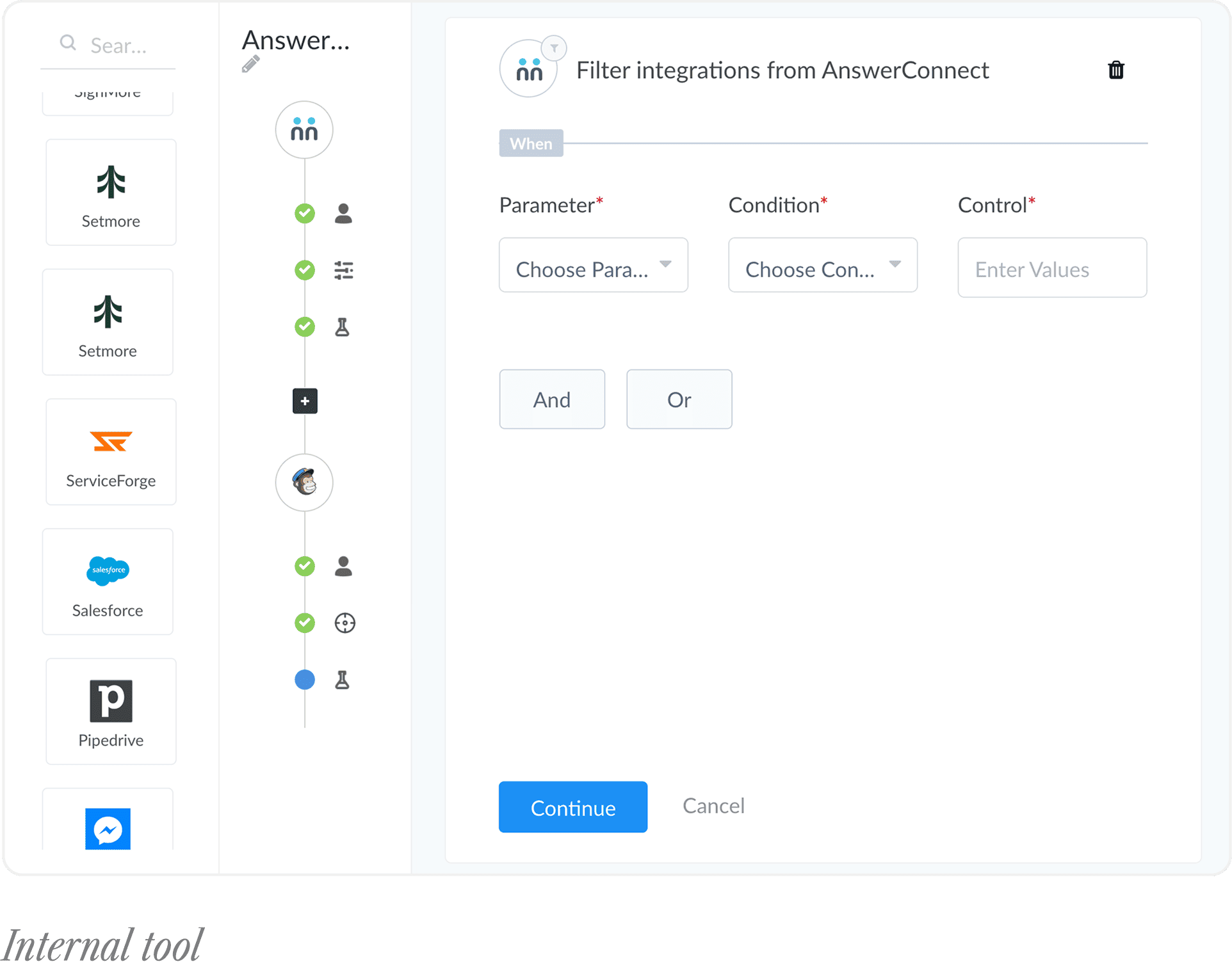
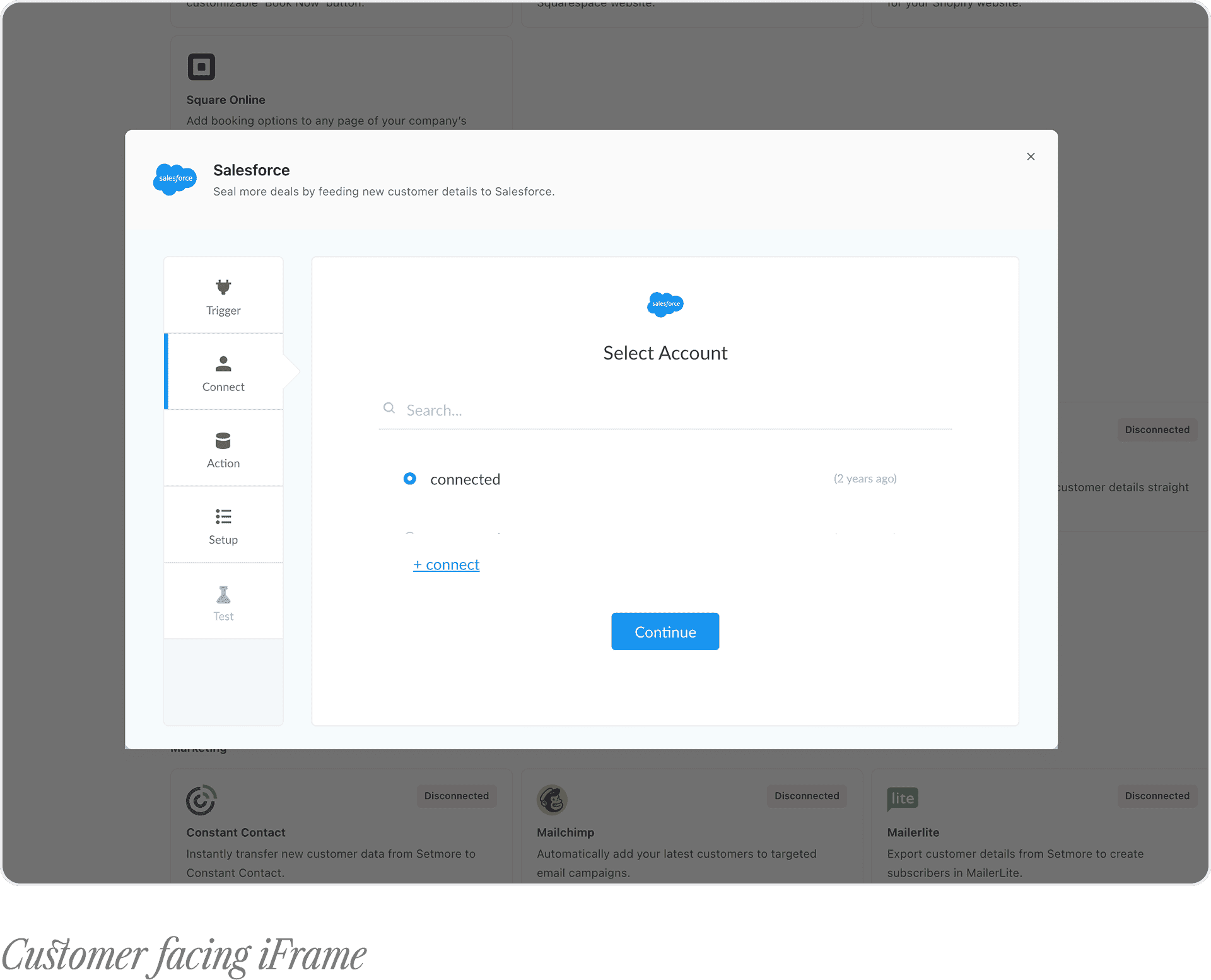
Design an integrations system that works across both apps. Supports different levels of complexity without duplication, and scales across 40+ integrations.
Challenge
One workflow serving two fundamentally different apps and users
Customers needed a simple, self-serve experience
The CAM team (100+ daily users) required speed, flexibility, and control
Needed to scale across 40+ third-party integrations with varying requirements
Had to operate within a modal-based interaction pattern

Design decisions
My focus was to design a system that balances simplicity for customers with flexibility for power users, while remaining scalable across integrations.
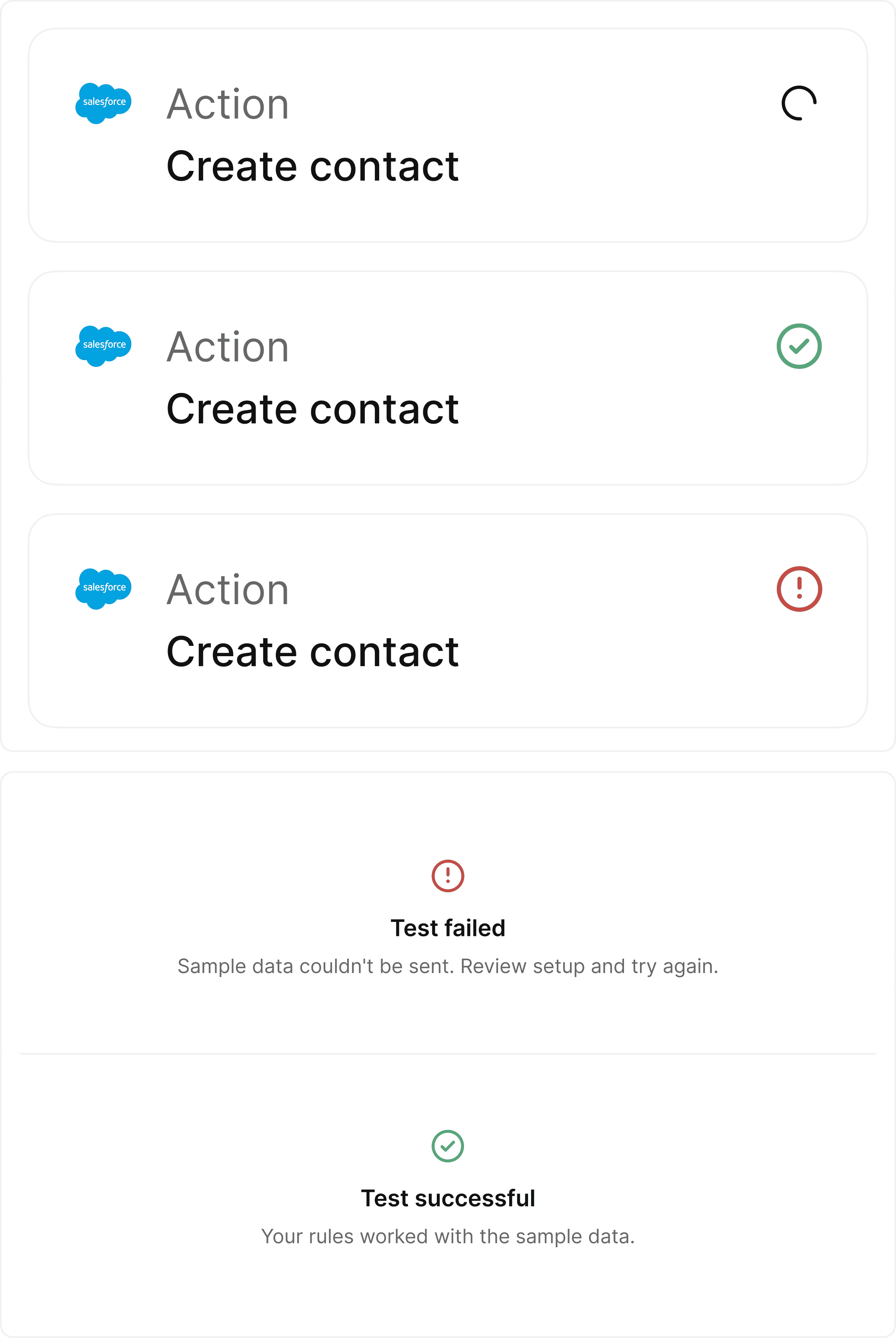
A consistent framework across all apps
I audited the legacy system and removed redundant and broken steps, focusing only on what was necessary for successful setup.
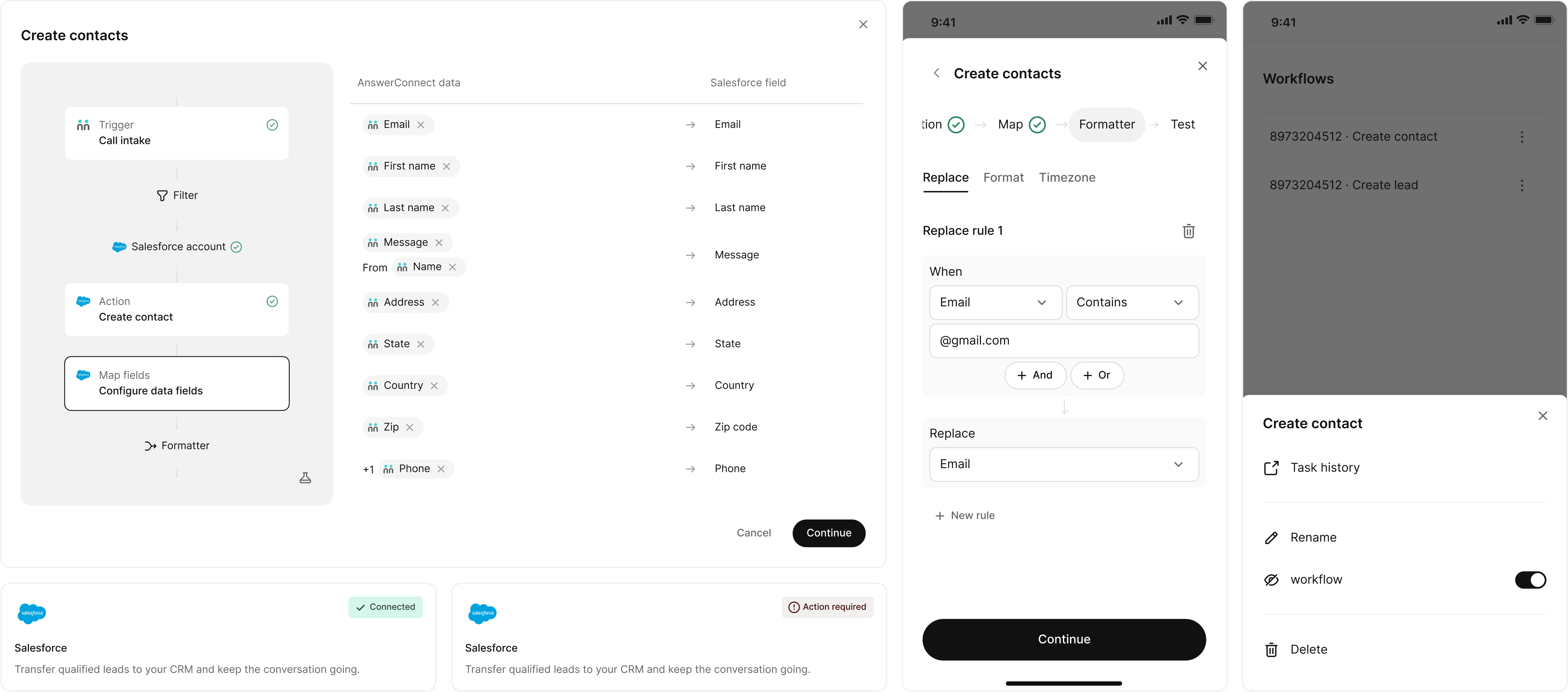
Instead of creating separate flows for each integration, I designed a flexible component framework that adapts to different requirements (OAuth, API keys, optional vs required fields). This reduced complexity while maintaining scalability across integrations.
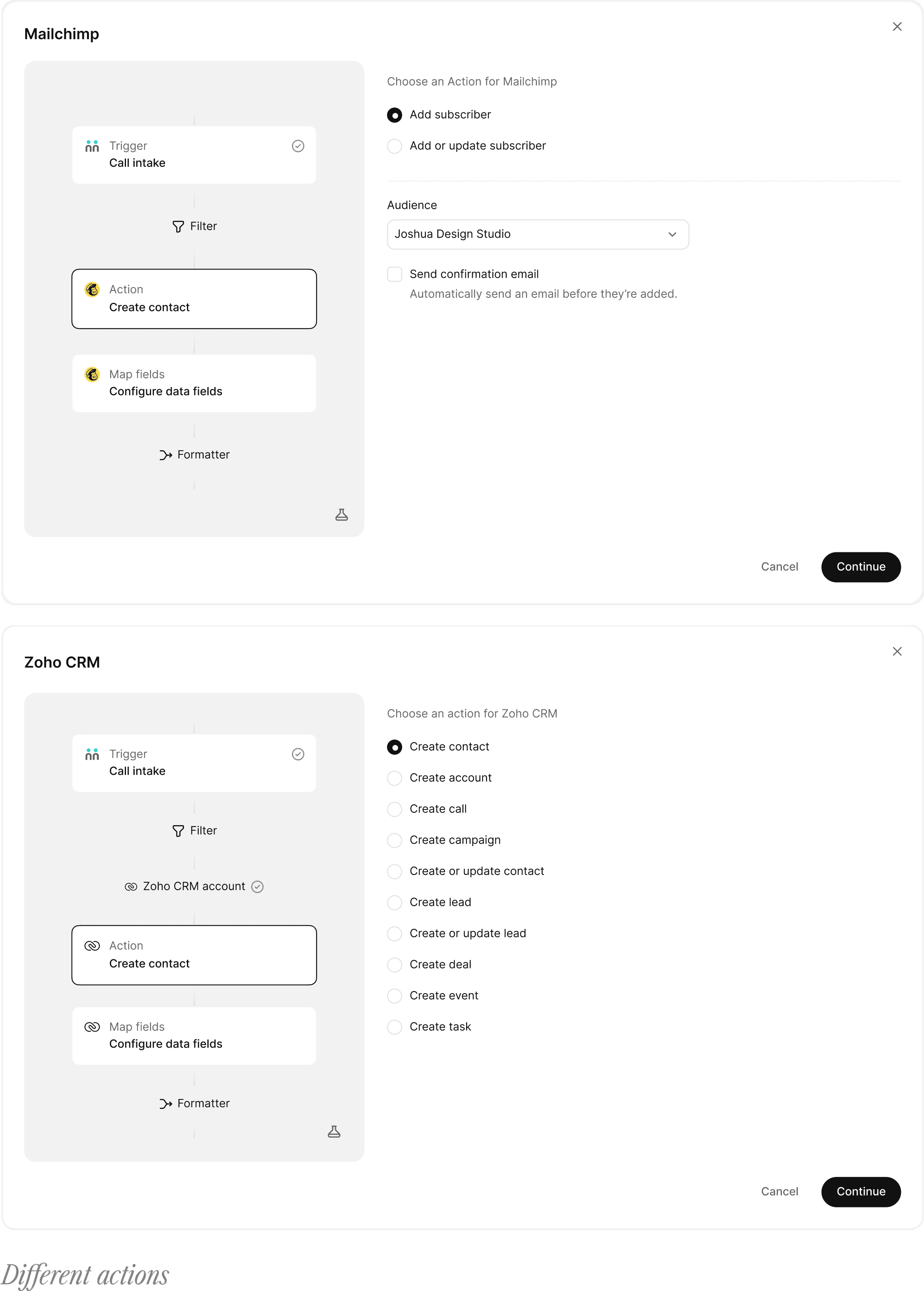
Pre-populated defaults and non-linear navigation
The legacy system required strict step-by-step completion. I removed this constraint by introducing:
Pre-configured defaults to reduce setup time
Non-linear navigation allowing users to move between steps freely
This allowed customers to complete workflows quickly, while enabling power users to jump directly to specific steps.
Workflow structure aligned with real user behavior
The CAM team was already familiar with Zapier-like tools. Instead of replacing this mental model, I retained and refined it.
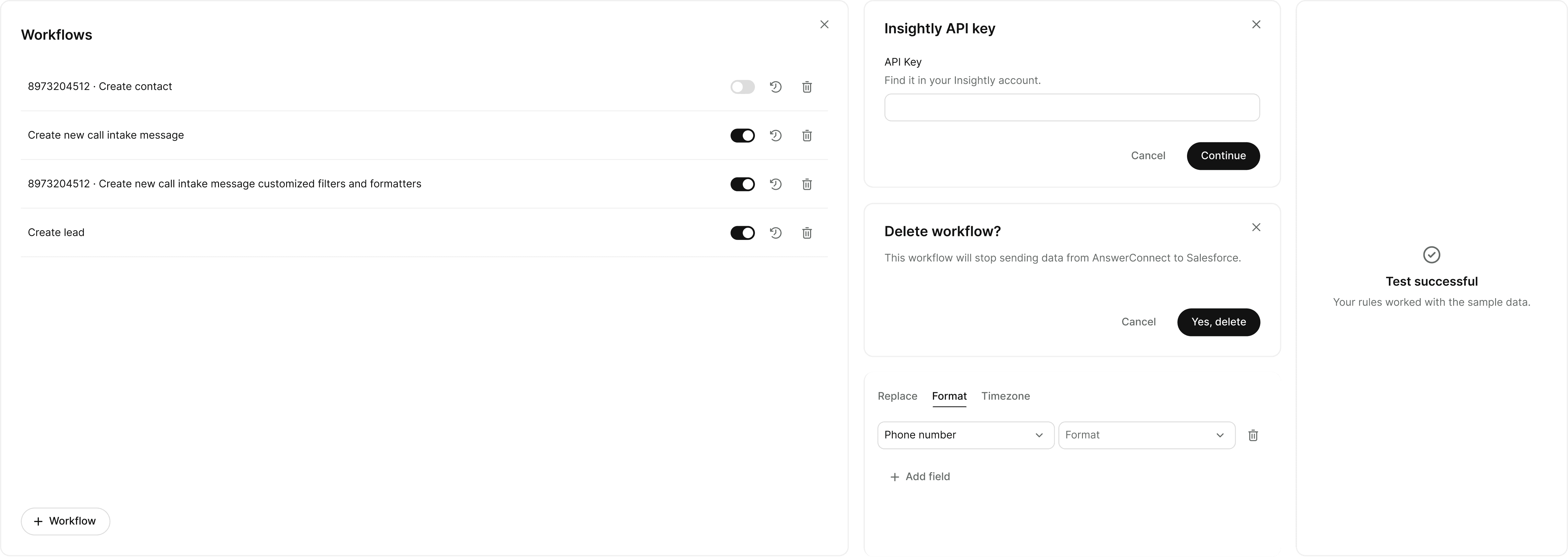
Introduced persistent step status visibility across the workflow
Ensured full keyboard accessibility, supporting faster interaction for power users
Field mapping as a reusable system component
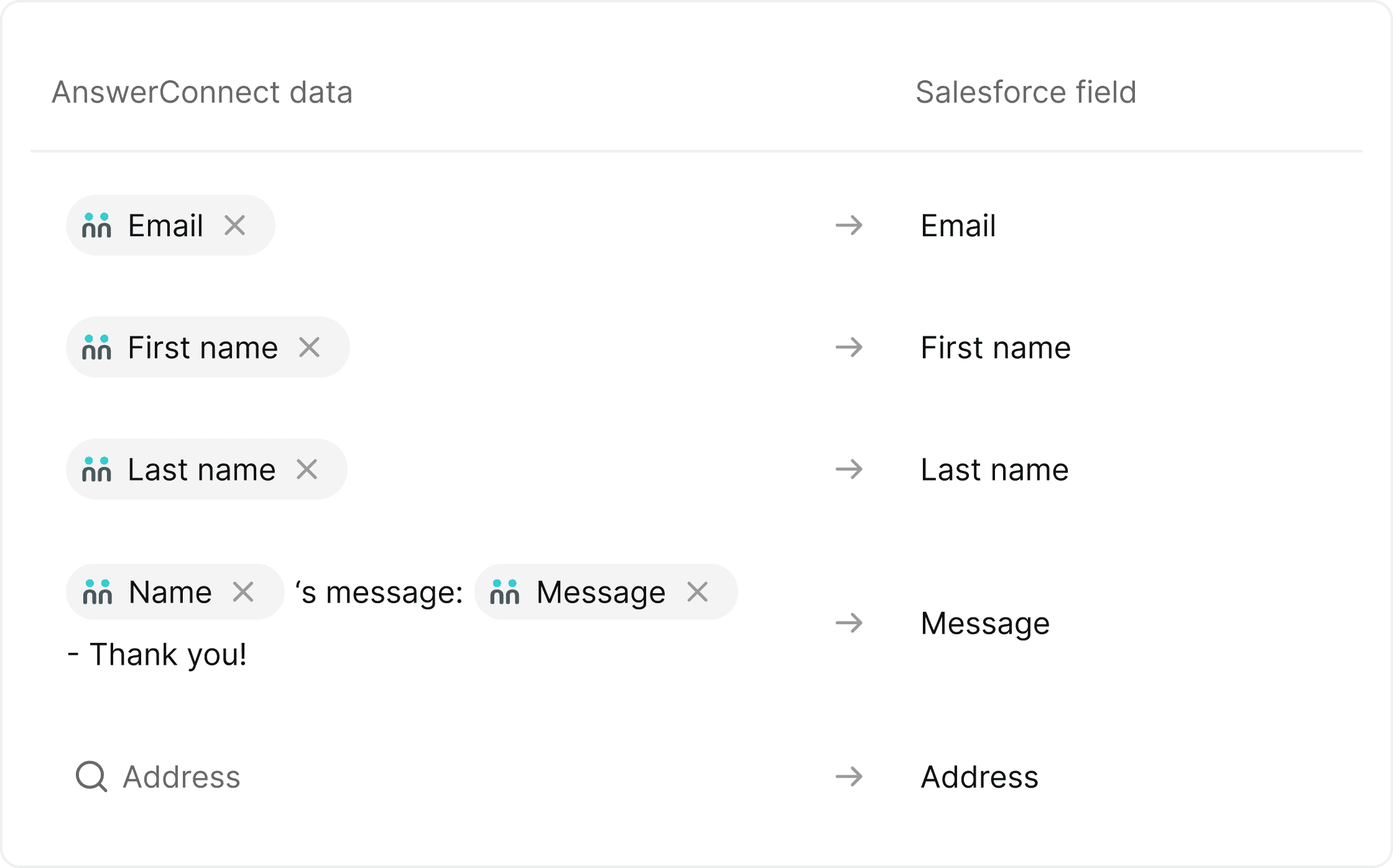
Field mapping was the most complex part of the workflow. Instead of designing a one-off solution, I built it as a reusable design system component, supporting:
Mixed text and data tokens
Multi-line mapping
Inline validation
Keyboard navigation
This component now serves as the foundation for mapping across integrations.
Adapting to Setmore
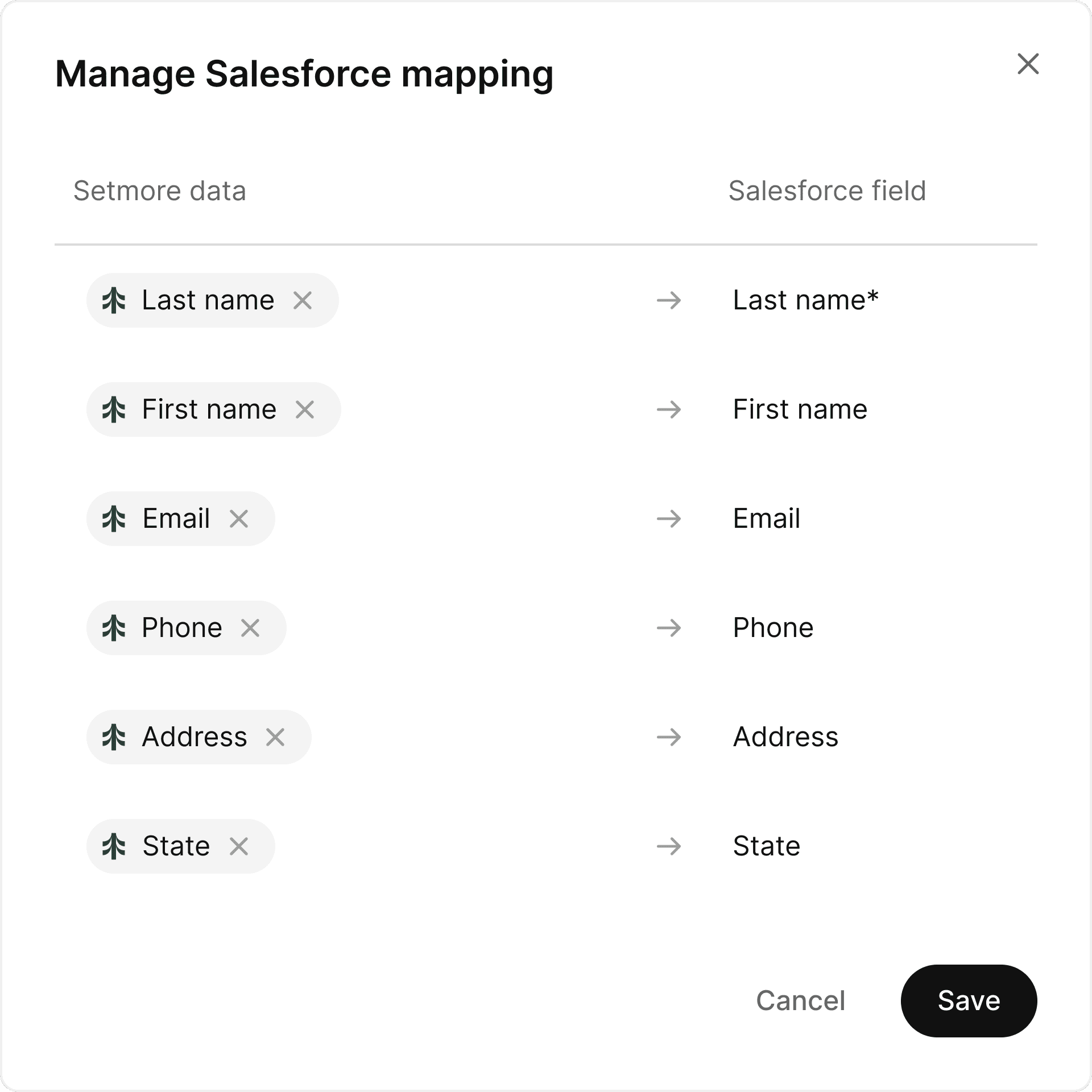
Setmore didn’t need a workflow, it needed a connection.
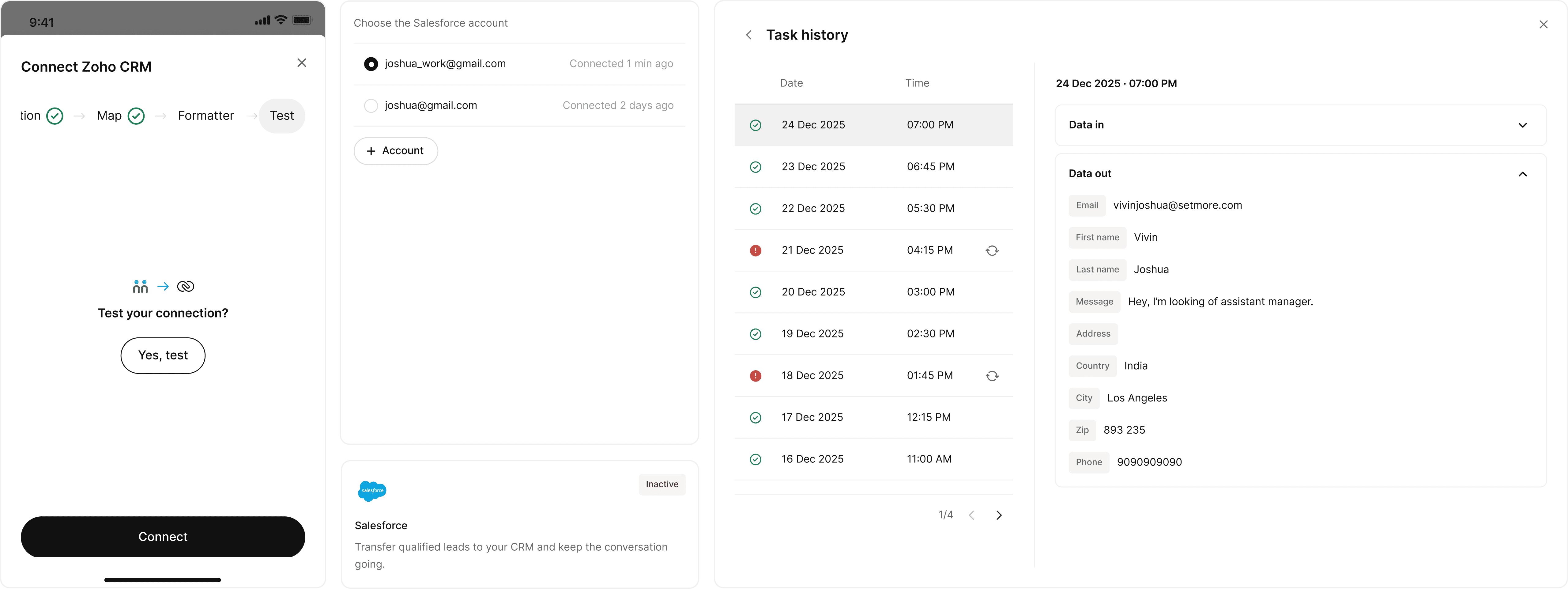
The setup was reduced to authentication, with no filters or intermediate steps. Once authenticated, the integration is complete.
Field mappings are pre-filled by default, with the option to adjust them later if needed. This keeps the initial experience frictionless, while preserving flexibility for edge cases.
Outcome
100+ CAM team members now work within a single, unified interface
Simplified onboarding through self-explanatory workflows, reducing dependency on documentation
Improved clarity with persistent workflow status visibility
Established a consistent setup experience across 40+ integrations
Delivered a reusable field mapping component now integrated into the design system
there's certainly more to the story, chat here :)